Qt Quick
GlassSurface brings the liquidglass material to Qt Quick (Qt 6) as a ShaderEffect. It refracts the
item behind it, live, every frame: a ListView scrolling under it, an image, video. Use it from QML in
a C++ app or from Python with PySide6. iOS is not a target.
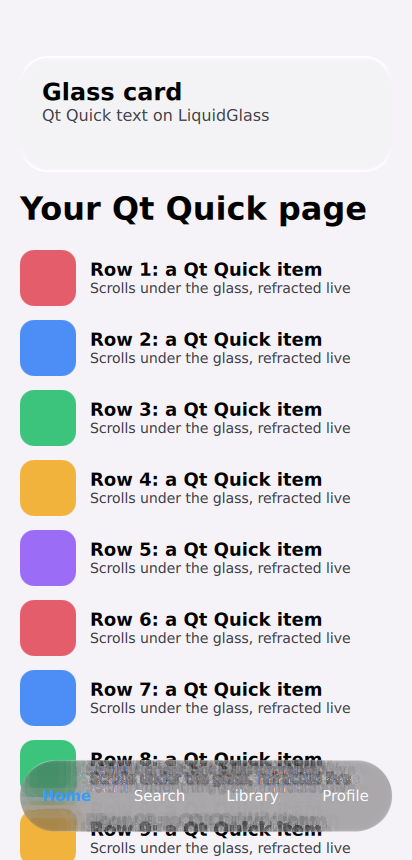
Our render: the PySide6 example under Xvfb on Mesa's software OpenGL in CI. Evidence and limits.
import LiquidGlass

GlassSurface {
    backdrop: list              // the item it refracts; keep the glass outside it
    radius: 36
    dark: true
    Text { anchors.centerIn: parent; text: "On glass"; color: "white" }
}
Put ports/qt on the QML import path (engine.addImportPath(...)), and compile the two shaders with
qsb (or pyside6-qsb) first. The
package README has the
command, every property and how it works.
How it is checked. The shaders are generated from the production SkSL (--check in CI), the
material's numbers equal the CanvasKit port's, and CI compiles the shaders with qsb on Linux and renders
the example offscreen, checking that the glass changes the pixels under it the way glass does and follows
the list as it scrolls. Not checked: a GPU, Windows or macOS hosts, frame timing, Qt 5.